
Vorelix AI: Video Generator
MOSSCOVE (PRIVATE) LIMITEDTools
2.25.00 Reviews
- Version
- 1.1.0
- Installs
- 10.00K
- Age Rating
- Everyone
Screenshots
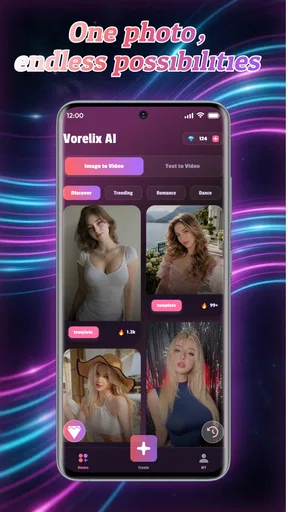
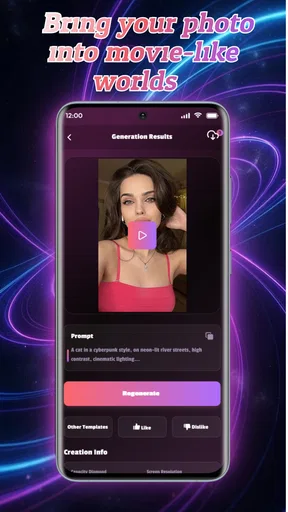
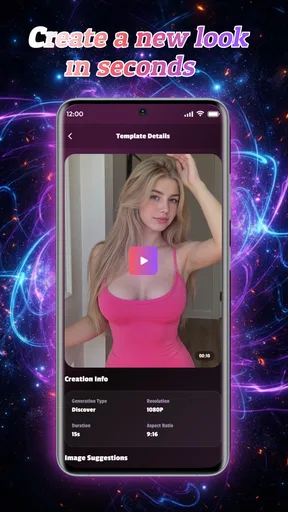
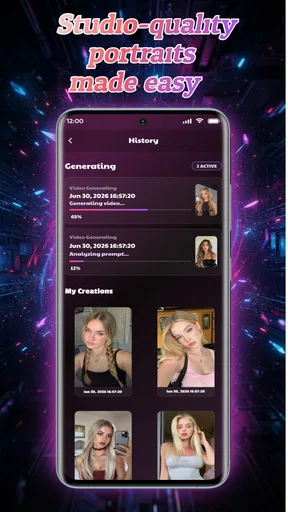
Our Review of Vorelix AI: Video Generator
 Analysis by Appyee
Turning a handful of photos into a video sounds simple until the usual work begins: choosing the right images, finding a suitable layout, writing captions, timing each scene, and making the result feel intentional rather than like a slideshow. Vorelix AI is aimed at that repeated chore. It is a free tools app from MOSSCOVE (PRIVATE) LIMITED that uses photos, text, and templates as the starting point for AI-assisted video creation.
After spending time with it, I see the appeal clearly. It is not trying to replace a full desktop editor for detailed productions. Its value is in shortening the distance between “I have some material” and “I have something I can share.” That makes it interesting for quick social posts, small announcements, personal memories, and simple promotional clips where speed matters more than frame-by-frame control.
The important question is not whether AI can make a video. It can. The more useful question is whether the app removes enough repetitive work to justify adding another tool to your phone. My answer is cautiously positive, with a few conditions. The app is easiest to appreciate when you already know what you want to communicate and need help assembling it quickly.
Where Vorelix AI saves the most time
I find Vorelix AI most useful when a small video is needed soon and the source material is already in hand. A focused set of photos and one clear message can spare me the slow start of building a timeline from scratch, while still leaving room to review the result. The next section looks at who benefits most from that trade-off—and when a more hands-on editor is the wiser choice.
The recurring problem behind quick video projects
Most short videos fail to get made because the preparation takes longer than expected. A person may have photos from a birthday, a small business may have product images, or a community group may need a quick event announcement. None of those projects necessarily needs advanced editing, but each one still involves a string of small decisions.
Vorelix AI brings those decisions into a more focused workflow. Instead of beginning with an empty timeline, I can think in terms of source material, a message, and a visual direction. Photos provide the raw material, text supplies the context, and templates help establish a starting shape. That is a useful change in mindset for anyone who finds conventional editors intimidating.
The app is especially practical when the goal is a short, polished-looking result rather than a carefully edited film. A family member preparing a recap from recent photos, a seller making a visual introduction to a product, or a student creating a simple presentation can all benefit from that narrower approach. The less time I want to spend arranging individual elements, the more sense this kind of app makes.
There is also a psychological benefit. A blank editing screen invites endless tweaking before anything exists. A template-driven process gives me something to react to. Even when the first result needs changes, it is easier to improve a visible draft than to invent a complete structure from nothing.
Getting to a first useful result
The most sensible way to start is with a small, deliberate set of photos rather than every image in the camera roll. I would choose pictures with a clear connection, remove near-duplicates, and decide on one message before opening the creation process. This makes the AI output easier to judge because the source material already has a story.
Text deserves more attention than many new users may expect. A vague instruction can produce a result that looks attractive but communicates very little. I get more useful outcomes when the wording explains the purpose of the video, the intended mood, and the audience in ordinary language. For example, a personal recap should be approached differently from a product introduction, even if both use the same number of photos.
Templates are best treated as starting points rather than final answers. They can help establish rhythm and presentation, but the first option is not automatically the most suitable one. I recommend previewing the result with the sound off and asking whether the order of images still makes sense. If the story only works because of decoration or motion, the underlying selection probably needs improvement.
A practical first session should therefore be short and controlled: prepare the images, write one clear direction, try a template, review the sequence, and make only the changes that improve clarity. This avoids the common trap of spending more time experimenting with visual styles than deciding what the video needs to say.
Everyday situations where the workflow fits
One realistic example is a small shop owner who has photographed a new collection during the day. Rather than opening a complex editor at night, the owner can select the strongest product images, add a short explanation, and use the app to create a compact visual post. The time saved is not only in editing; it also comes from avoiding the need to learn a larger program for a modest task.
For personal use, I can imagine using it after a weekend trip. The best result would not include every photo. A tighter selection, arranged around a beginning, middle, and ending, is more watchable. The app helps with assembly, but the human decision about which moments matter remains essential. AI can reduce the mechanical work, yet it cannot know which memory is meaningful to the people watching.
It can also suit a quick invitation or reminder. A few relevant images, a concise message, and a visual template may be enough for a club meeting, school activity, or informal gathering. In these cases, the main advantage is speed: the creator can move from scattered material to a shareable format without building a complete design from scratch.
Another useful scenario is repurposing existing content. Someone who already has a set of still images and a written announcement may not need a full production process. Converting that material into a video can make it more noticeable in feeds or easier to present on a phone. The app is therefore most convincing when it gives old material a new, lightweight format.
What the app removes from the process
The biggest friction removed is timeline anxiety. Traditional mobile editors often expose tracks, transitions, layers, durations, and export choices immediately. Those controls are valuable when precision matters, but they can slow down a person who only wants a clean short video. Vorelix AI appears designed to let the creator begin with intent and content instead of technical construction.
It also reduces the need to design every visual relationship manually. Photos need an order, text needs placement, and a video needs some sense of movement. Templates and AI assistance can provide a first arrangement, which means I spend more time judging the result and less time dragging elements into position.
That does not mean the process becomes automatic in the strongest sense. I still need to inspect the output for awkward emphasis, weak image choices, or text that does not fit the intended audience. The useful distinction is that the app shifts the work from building everything to reviewing and correcting a draft. For quick projects, that is often a worthwhile trade.
There is a second kind of friction: decision fatigue. When an editor offers too many possibilities, every minor choice can become a delay. A focused photo-and-template workflow limits the number of decisions without removing creativity altogether. I find that helpful for routine content, where originality is less important than consistency and completion.
Three practical techniques that improve the result
Start with a visual hierarchy, not a file dump. Pick one opening image that explains the subject immediately, place supporting images after it, and reserve the most memorable image for the close. This gives the generated video a clearer narrative shape and makes the app’s assistance more effective.
Keep the text focused on one job. Text can introduce, explain, invite, or sell, but trying to do all four at once usually makes a short video feel crowded. I would write one strong message first, then check whether the images support it. If the words need a long paragraph to make sense, the project may be better suited to a presentation or a conventional editor.
Make a second pass for audience and context. A video that feels fine privately may be confusing when viewed without explanation. I would check names, dates, product details, and the order of events before sharing. This is a non-obvious but important trade-off of AI-assisted creation: faster assembly increases the value of human proofreading rather than eliminating it.
A fourth technique is to keep a reusable folder of source images organized by purpose. Since the app works from photos, preparation outside the creation screen can make repeated projects much faster. Separate folders for products, events, portraits, or background images reduce the time spent searching and improve the consistency of future videos.
How it compares with familiar alternatives
Compared with a traditional mobile video editor, Vorelix AI is more approachable for a quick first draft. A conventional editor is the better choice when I need exact timing, detailed audio work, carefully controlled transitions, or a precise brand layout. It gives more control, but that control comes with more manual effort and a steeper learning curve.
Compared with making a slideshow directly in a gallery app, Vorelix AI is more focused on turning still images into a deliberately presented video. The difference matters when the result needs to feel designed rather than merely exported. However, a built-in gallery tool may be faster for a completely private memory with no need for templates or text treatment.
Compared with online design platforms, the appeal here is the tighter photo-to-video idea. Broader design services may offer more layouts and content types, while this app’s narrower purpose can make the first step less overwhelming. The better choice depends on whether I want a video quickly or a larger design workspace that can handle many kinds of documents.
For serious creators, the comparison is less favorable. If a project depends on exact visual continuity, detailed sound mixing, layered effects, or repeatable professional specifications, I would move to a dedicated editor. Vorelix AI is best understood as a speed-oriented creation tool, not a replacement for a production suite.
What new users should understand before relying on it
The app is free to install, but it includes in-app purchases priced from $2.99 to $209.99 per item. That range makes it important to pay attention to the purchase flow before committing to a paid option. A person who only creates occasional personal clips may find the free experience sufficient, while frequent creators should decide whether the paid features genuinely save enough time to justify their cost.
Its content rating is Everyone, which fits the broad, general-purpose nature of the tool. The current version is 1.1.0, and it requires Android 8.0 or later. In practical terms, anyone considering installation should check the phone’s software version first, especially if the device is older. Compatibility is a small detail, but discovering it after planning a project is an avoidable interruption.
The app has reached over ten thousand installs, while its average rating is 2.2 from around thirteen ratings and five written reviews. That is a modest and mixed public signal rather than a reason to make a confident claim about universal reliability. I would approach it as a tool worth testing with a small, non-urgent project before using it for something time-sensitive.
That advice is particularly relevant for important announcements or client work. I would keep original photos safely stored, review every generated scene, and avoid treating the first output as ready without checking it. AI assistance is valuable when it accelerates drafting, but reliability for a specific project still depends on inspection and a backup plan.
Where the experience can become frustrating
The same automation that makes the app approachable can feel limiting when the generated arrangement is almost right but not quite. If I want to correct one small detail and the available controls do not expose that detail directly, I may spend longer trying to work around the result than I would have spent using a manual editor from the beginning.
Templates can also create a recognizable visual feel. That is useful for speed, but less suitable when every video needs a distinct identity. A business with strict brand requirements may prefer a tool that offers exact control over typography, spacing, colors, and timing. The more specific the visual rules, the less attractive a template-first workflow becomes.
There is also a quality trade-off in source material. AI can arrange weak photos, but it cannot make a blurry or poorly framed image meaningful in every context. Users may blame the generated video when the real issue is an inconsistent photo set. Selecting fewer, stronger images is often more effective than adding more material and hoping the app will solve the story.
Finally, people who dislike reviewing automated results may not enjoy this kind of tool. The fastest workflow is not “press a button and forget it.” It is “create a draft quickly, then apply human judgement where it matters.” If that review step feels like extra work, a simple slideshow maker may be more comfortable for basic personal use, while a manual editor may be more satisfying for creative control.
My verdict on time saved and reliability
Vorelix AI makes the most sense for people who regularly have photos and ideas but not enough time or patience for a full editing workflow. Its combination of photo input, text guidance, and templates can turn a vague project into a usable first draft with less friction than a traditional timeline editor. I would recommend it to casual creators, small sellers, families, and groups making short, practical videos.
I would not choose it as my main tool for demanding commercial work, detailed storytelling, or projects where exact control is non-negotiable. The purchase range, modest public rating, and early-version feel also make a cautious trial sensible. Start with a low-stakes project, keep the originals, inspect the result carefully, and decide whether the time saved is real for your workflow.
My overall impression is that the app’s strength is not spectacular editing power; it is momentum. It helps answer the question, “How do I get from these photos to something presentable without spending the whole evening editing?” When that is the recurring problem, the trade-off is reasonable. Use Vorelix AI when speed, simplicity, and a guided starting point matter more than total control.
Verdict
Strengths of Vorelix AI: Video Generator
- Creates videos from text prompts with minimal editing skills required.
- Useful for quickly producing social media clips, ads, and creative concepts.
- AI-generated visuals can help overcome a lack of original footage.
- Simple workflow makes experimentation with different ideas convenient.
- Can reduce the time and cost of producing short-form video content.
Limitations of Vorelix AI: Video Generator
- Results may vary significantly depending on how clearly prompts are written.
- AI visuals can include odd details, inconsistent motion, or unnatural scenes.
- Advanced creators may find the editing and customization options limited.
- High-quality generations may require credits, subscriptions, or extra waiting time.
- Privacy terms should be checked before uploading personal images or sensitive content.
Similar Picks in This Category
View All
Google LLC4.0

Gboard - the Google Keyboard
Google LLC4.5

Google Play services
Google LLC4.3

Google Play Store
Google LLC4.9

Files by Google
Google LLC4.5

SHAREit: Transfer, Share Files
Smart Media4U Technology Pte.Ltd.4.3
Frequently Asked Questions
What is Vorelix AI: Video Generator used for?
Vorelix AI: Video Generator is designed to help users create short videos from written prompts, ideas, or other provided content. It may be useful for social media posts, promotional clips, storytelling, presentations, and creative experiments. The app is aimed at simplifying video production, although the final result can depend on the quality of the prompt, selected style, available templates, and the processing time required by its AI features.
Is Vorelix AI: Video Generator free to download and use?
The application may be available to download at no initial cost, but some tools, export options, templates, or generation credits can require payment or a subscription. Before creating multiple videos, users should carefully review the pricing page, trial conditions, renewal terms, and any credit limitations shown in the app store or inside the application. Availability of free features may also vary by device, region, and version.
Does Vorelix AI: Video Generator require an internet connection?
Yes, users should expect to need a stable internet connection for most important functions. AI video generation generally depends on remote processing, so prompts, images, or other project information may be uploaded to the service before a result is produced. Offline access may be limited to viewing previously saved content, if supported. A reliable Wi-Fi or mobile data connection can also help prevent failed generations and incomplete downloads.
Can I use videos created with Vorelix AI for commercial purposes?
Commercial usage depends on the application's license, subscription level, content policy, and the rights associated with any assets used in a project. Users should not assume that every generated video is automatically cleared for advertising, business promotion, or resale. It is important to read Vorelix AI's current terms, check the licensing of music, images, voices, and templates, and confirm that submitted material does not infringe another person's copyright or privacy.
Is Vorelix AI: Video Generator suitable for beginners?
The app can be suitable for beginners because AI-assisted generation may reduce the need for advanced editing knowledge. New users can typically start with a simple idea and experiment with prompts, styles, scenes, or formats before exporting a result. However, producing a polished video may require several revisions, and beginners should allow time to learn the available controls, understand generation limits, and check the final video carefully for visual, text, or audio mistakes.
